
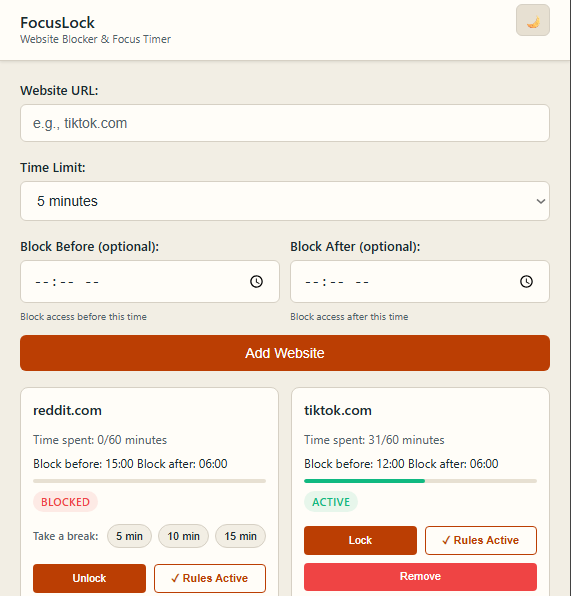
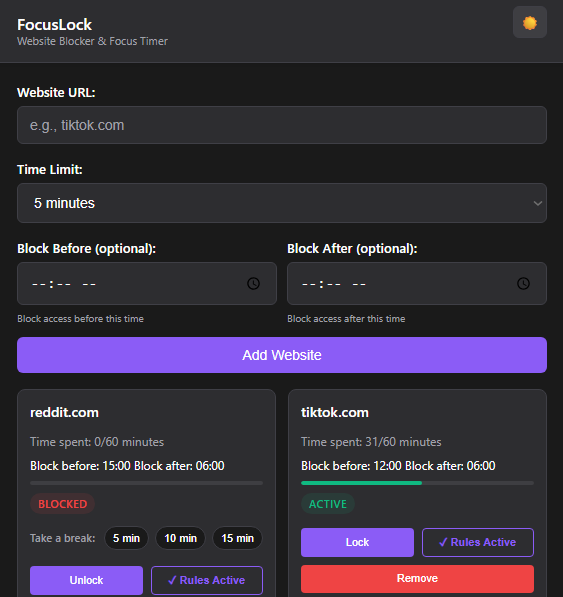
Custom by default
Edit limits, windows, breaks, and lock states anytime after setup.
Chrome Extension
FocusLock adds friction where it matters: set daily limits, schedule block windows, and unlock time when you really mean it.
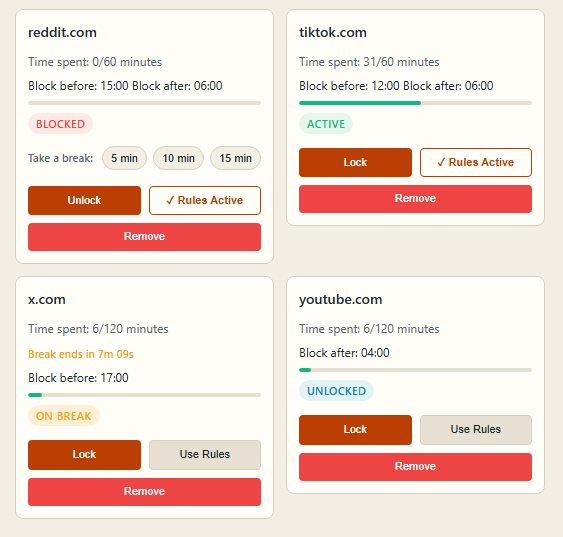
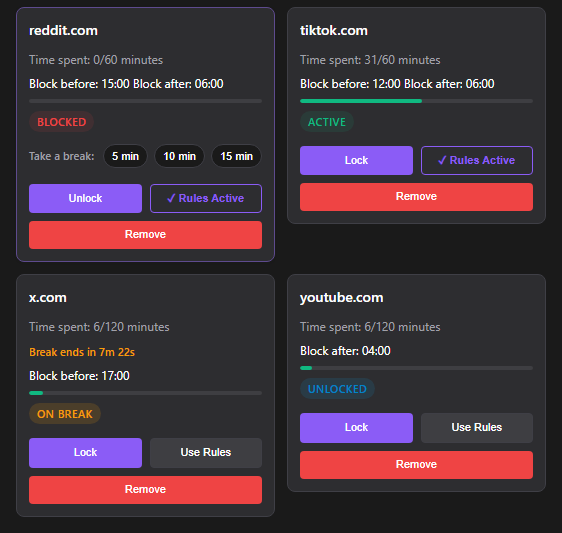
Edit limits, windows, breaks, and lock states anytime after setup.
Track minutes, apply hard locks, or return to automatic rules.
Limits reset at midnight so each day starts clean.
0
Core controls you can tune: limits, windows, breaks, and lock mode
0
Hour schedule flexibility with block-before and block-after rules
--:--:--
Time remaining until midnight reset (local)
Features
Set independent daily budgets so each distracting site has a clear cap.
Block before a time, after a time, or during fixed windows like work hours.
Manual lock and unlock modes make every exception an explicit decision.
Take controlled breaks for 5, 10, or 15 minutes without removing your rules.
See active, blocked, on-break, and unlocked states with clear progress bars.
Choose common distractors, pick a preset, and start in under a minute.
How it works
Choose from quick picks like YouTube and Instagram, or add custom domains.
Use a starter preset or configure each site manually from the start.
When limits hit or schedules trigger, FocusLock redirects to a blocked screen.
At midnight your counters clear, ready for a new intentional day.
Flexible Setup
Example template: 30 minutes per day per selected site.
Example template: 15 minutes per day plus block after 9:00 PM.
Example template: 20 minutes per day with work-hour blocking from 9:00 AM to 5:00 PM.
After onboarding, every setting is editable per website: time limits, block windows, timed breaks, and lock or unlock state.
Install FocusLock and set your first boundary in less than 60 seconds.
Privacy-first: all limits are stored locally in your browser.Share what works, what feels annoying, and what you want next.
Send Feedback